
THE SYSTEMS BEHIND YOUR BUSINESS
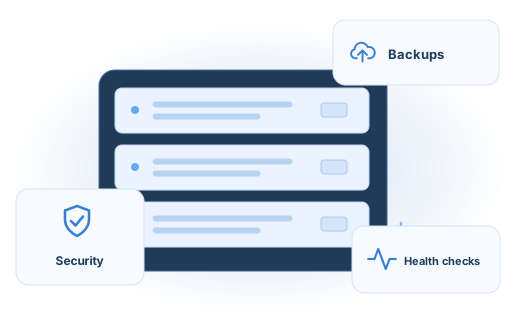
Give the servers behind your business regular care and a clear recovery plan. We help manage backups, security maintenance, automations, health checks, and migrations around the systems your website and team rely on.
Keep the infrastructure ready for everyday work.
A server needs attention between launches and upgrades. Backup jobs can fail, storage can fill up, certificates can expire, and scheduled tasks can stop quietly. We review the environment, identify the important dependencies, and agree on the maintenance and checks it needs.
Backups and recovery
Plan backup schedules, retention, and storage around the systems that matter. Check job results and agree how restores will be tested so recovery is part of the plan.
Security maintenance
Review updates, access, permissions, certificates, and the protections available in your environment. Address agreed maintenance needs and keep a record of important changes.
Server automations
Set up useful scheduled jobs, maintenance routines, and operational notifications. Make it clear what should run, when it should run, and who should know if it fails.
Health checks and monitoring
Check service availability, storage, resource use, backup status, certificates, and relevant logs. Define useful alerts and the action your team should take when something needs attention.
Migrations and moves
Plan moves between servers or hosting environments, including the websites, databases, files, DNS, certificates, and scheduled jobs involved. Test the destination and agree a cutover and rollback plan.
Troubleshooting and ongoing care
Investigate failed services, performance problems, and recurring operational issues. Keep documentation and ownership clear as your environment and business change.
A PRACTICAL EXAMPLE
A server move with the important pieces accounted for.
Before a move, we inventory the site, data, access, scheduled work, and connected services. We prepare backups, test the destination, agree the switch, and check the affected customer journeys afterward. The migration plan includes what to do if a check fails.
- 01Review and back up
- 02Prepare the destination
- 03Test and switch
- 04Verify and support
Start with the environment you have.
- Review the provider, operating system, hosting panel, and supported software.
- Inventory websites, databases, backups, scheduled tasks, and connected services.
- Agree maintenance priorities, access, responsibilities, and a recovery approach.
- Set up or improve the scheduled checks, jobs, and notifications in scope.
- Document the setup and agree the ongoing support or project handover.
Ongoing management or a focused project.
We can discuss regular server care, a migration, a backup review, or a specific operational problem. Coverage, response arrangements, hosting costs, software licenses, and provider responsibilities are agreed as part of the scope.
Common questions.
Can you manage a server we already have?
We begin with a review of the environment, available access, software support, and the work required. That review establishes which parts we can manage and which remain with your hosting provider or another supplier.
How is this different from managed WordPress hosting?
Managed WordPress hosting focuses on the hosting needs of a WordPress website. Server management looks at the wider server environment, its services, backups, scheduled work, health, and operational responsibilities.
Can you help with a migration or backup problem as a one-off project?
Yes. A migration, backup setup, restore check, or specific server issue can be scoped as a project. We agree the systems involved, required access, checks, and handover before starting.
Related services.
Managed WordPress hosting
Give your WordPress website a managed hosting foundation.
Explore service ↗Website support & maintenance
Keep the website and its connected customer journeys working.
Explore service ↗Workflow automation
Reduce repetitive handoffs between your website and business tools.
Explore service ↗Give the systems behind your website a clear plan.
Tell us about your server, what it runs, and where you need help.